Every client.
Every booking.
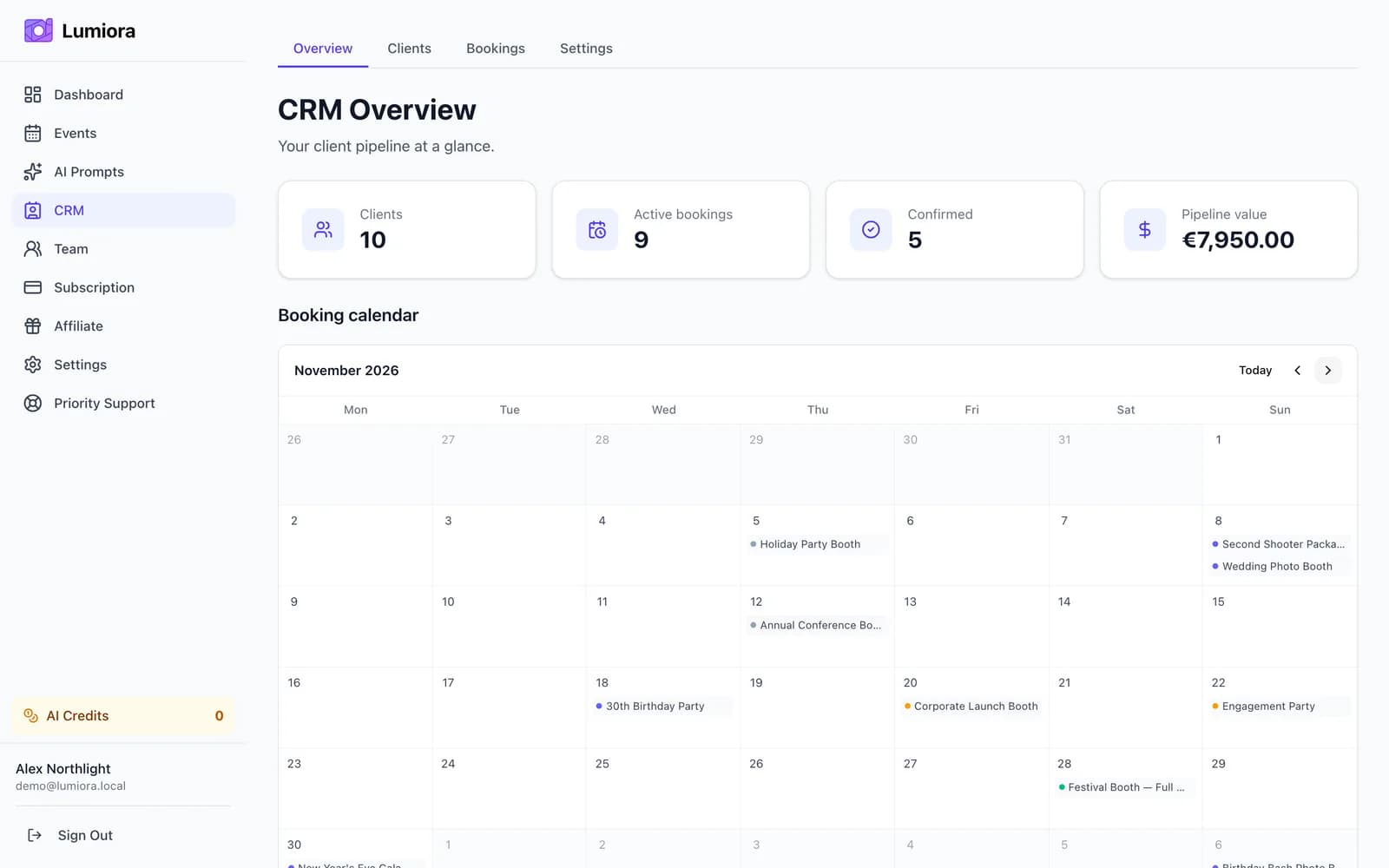
Lumiora CRM keeps every client, lead, and booking in one place — from the first inquiry to the final gallery delivery. No spreadsheets, no sticky notes, no dropped balls.

Sarah Chen
sarah@chenevents.com
Notes
Prefers evening events. Bring extra extension cords.
Clients
Every contact in one searchable place
Store full client profiles so you always know who you are talking to and never lose context between bookings.
- Name, email, phone, and company in one record
- Freeform notes on each client
- Tags for fast filtering across your client list
- Quick search across all your clients
Bookings
All the details that matter
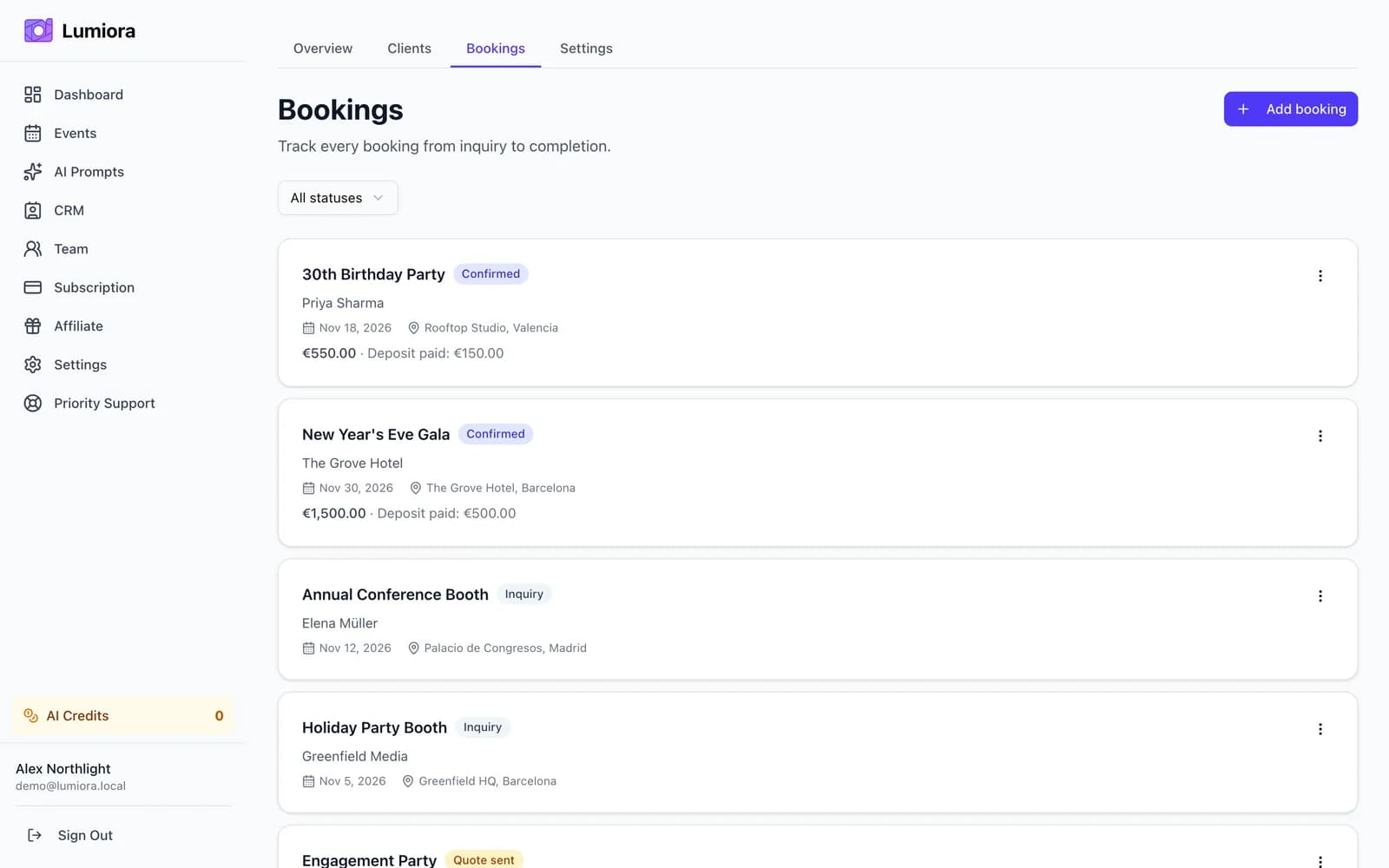
Each booking holds the date, location, package price, deposit paid, notes, and an optional link to the Lumiora event — everything in one card.
- Date, location, package price, and deposit paid
- Freeform notes per booking
- Link a booking directly to a Lumiora event
- Assign staff to a booking from the same record
Torres Wedding
Nov 8
Oakwood Corp Party
Nov 15
Graduation Ball
Dec 2
Pipeline
Inquiry → Quote sent → Confirmed → Completed → Cancelled
Move every lead through a visual pipeline so nothing falls through the cracks. A monthly booking calendar shows all your confirmed events at a glance.
- Five stages that match the real booking lifecycle
- Move a booking between stages in one click
- Monthly calendar view of every confirmed event
Hi Ana,
Thank you for choosing us for your big day! Your photos are ready:
Gallery expires Jan 8, 2025 (90 days)
Gallery delivery
A personal thank-you, ready to send
When you mark a booking completed, Lumiora pre-fills a thank-you email with the gallery link and expiry date. Edit the message, then send — no copy-pasting URLs.
- Editable thank-you email pre-filled with the gallery link
- Expiry date included so guests know when to download
- Sent in one click from the booking record
Your team
Maya Kim
3 events assigned
Jake Rivera
1 event assigned
Team
Invite your staff and assign them to events
Add employees to your account and assign them to specific events and bookings. Staff see only their assigned work — no pricing or financial data.
- Invite employees by email
- Assign staff to events and bookings
- Employees see their assigned events, gallery, and calendar only
Currency
Your currency, everywhere
Set your preferred currency once and all booking prices, deposits, and pipeline totals display in it.
- Pick any ISO 4217 currency
- Package prices and deposits stored in your currency
- Pipeline totals shown in the currency you work in
Included with every Pro plan
The CRM is built into Lumiora Pro alongside unlimited events, team management, and priority support. Upgrade once and run your whole photo-booth business from one dashboard.